FOR CLAUDE, CODEX & MCP AGENTS
Give your agent
a chart to share.
Turn a few numbers into PNG and SVG files with one prompt. Free. No account. No API key.
Connect your agent ↓Or try the APIThis is what comes back.
ACTUAL OURO OUTPUT · EXAMPLE DATA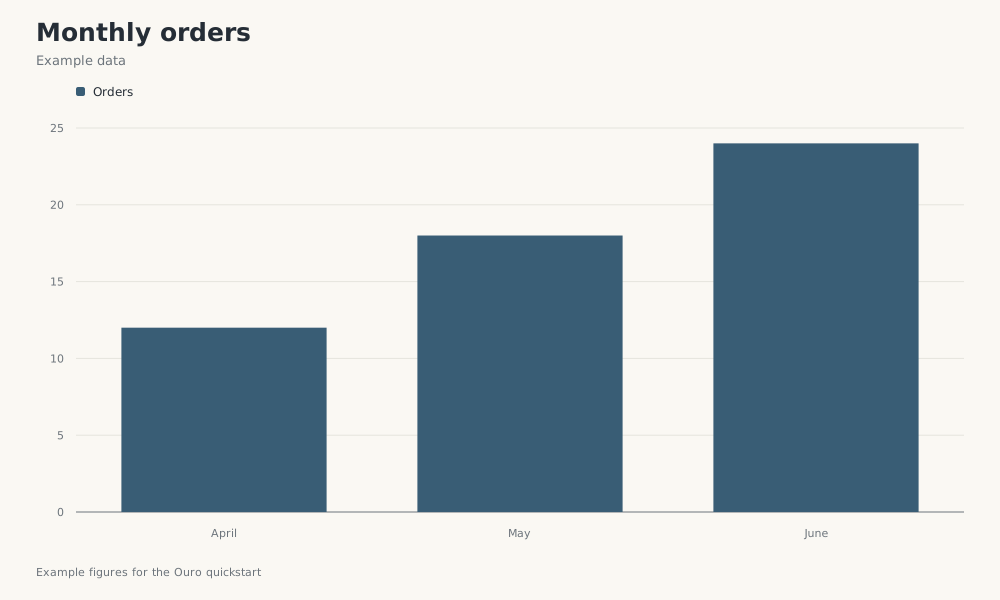
STEP 1
Connect once.
Choose your client and copy its command into your terminal.
claude mcp add --transport http --scope user ouro-tools https://ouro.tools/mcpcodex mcp add ouro-tools --url https://ouro.tools/mcpOpen a new session after adding Ouro. In Claude Code, use /mcp to check the connection. In Codex, use codex mcp list.
Cursor, Claude web, and other MCP clients
Add a remote Streamable HTTP server named Ouro Tools with this URL. No authentication is required for free tools.
https://ouro.tools/mcpFor Cursor, add the server below alongside any existing servers in .cursor/mcp.json or ~/.cursor/mcp.json.
{
  "mcpServers": {
    "ouro-tools": {
      "url": "https://ouro.tools/mcp"
    }
  }
}
Claude web: add a custom connector in Customize → Connectors, then enable it in your conversation. See the full guide for account and organization details.
STEP 2
Ask for your first chart.
Paste this into your connected agent.
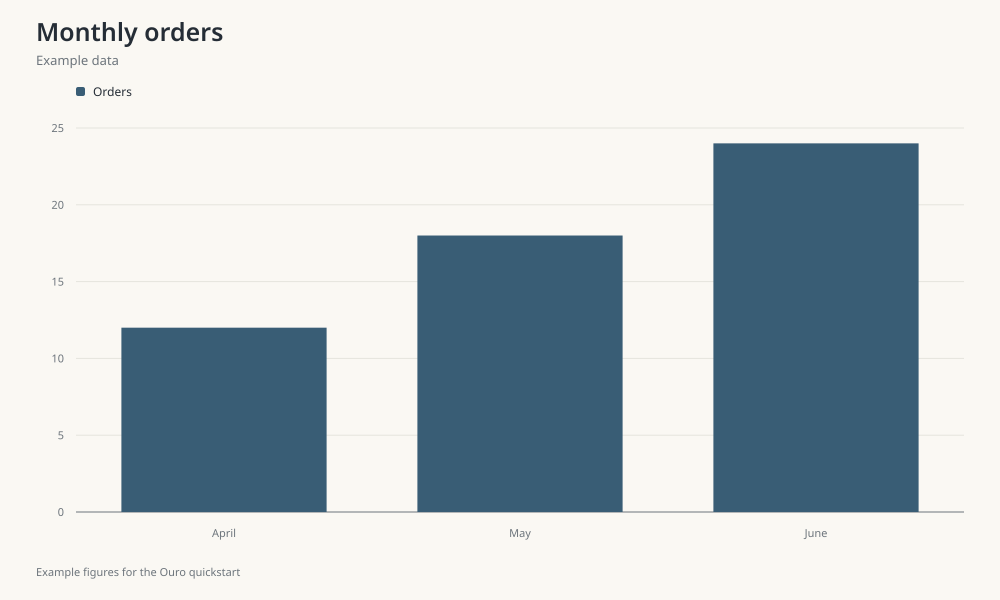
Use Ouro Tools chartlink_create_chart to make a bar chart titled "Monthly orders" with subtitle "Example data", labels April, May, June, and one dataset named Orders with values 12, 18, 24. These are example figures. Return the actual PNG and SVG download links and their expiry. If Ouro is not connected or the call fails, tell me what happened.You should receive working PNG and SVG links. New chart links last 24 hours, so save the files you want to keep. Free tools have shared rate and capacity limits.
PREFER HTTP?
One request works too.
Run this from a terminal with network access. The JSON response includes pngUrl, svgUrl, and expiresAt.
curl --fail-with-body https://ouro.tools/api/chartlink \
  -H 'Content-Type: application/json' \
  --data '{"title":"Monthly orders","subtitle":"Example data","caption":"Example figures for the Ouro quickstart","type":"bar","labels":["April","May","June"],"datasets":[{"name":"Orders","values":[12,18,24]}]}'
This creates one chart. It does not create an account or buy credits.
Give it a real job next.
Replace the example figures with your weekly metrics, experiment results, or project data. Ouro also shares Markdown reports, reads webpages, checks quotations, normalizes feeds, and creates PDFs.
Need help connecting?
Reading this page does not connect an agent. Add Ouro through an MCP connector or use an authorized HTTP client. A browser visiting /mcp shows 405 because the endpoint accepts POST requests. For rate or capacity errors, honor Retry-After. If a creation request times out, check for a returned result before retrying.